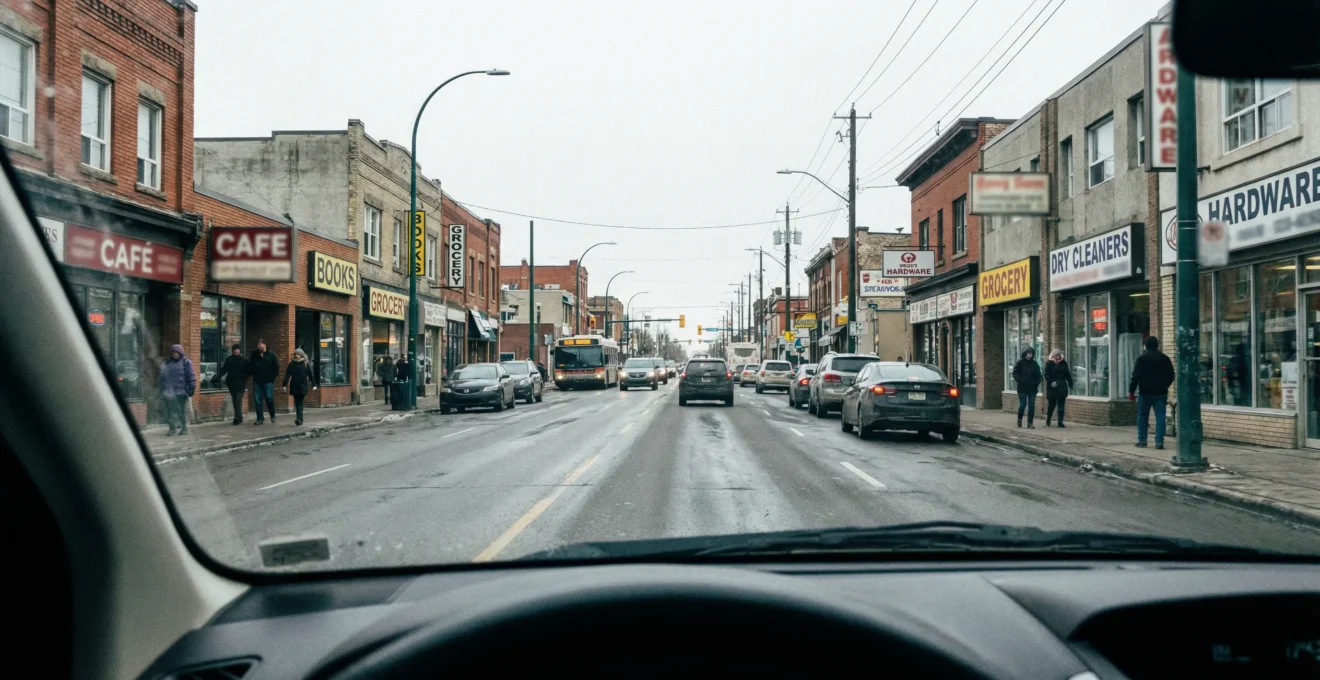
That gorgeous sign you paid good money for? The one with the elegant script font and all your services listed? Drivers are missing it. I consulted with a plumbing business owner on Macleod Trail last fall who spent around $3,500 on his storefront sign. Looked fantastic up close. But at 60 km/h? The phone number was invisible and that beautiful cursive business name might as well have been hieroglyphics.
Street-View Readability in 30 Seconds:
- Drivers get roughly 3 seconds to read your sign at urban speeds
- Letter height formula: 1 inch for every 10 feet of viewing distance
- Limit your message to 3 core elements maximum
- Calgary winters demand higher contrast and larger text than you think
The real problem isn’t bad design taste. The problem is designing signs for people standing in front of them instead of people driving past them. That’s a completely different challenge, and honestly, most businesses get it wrong the first time.
What follows is what I’ve learned from reviewing signage across Calgary‘s commercial districts. Not theory from a design textbook. Actual patterns I see repeating on Crowchild Trail, Deerfoot, and everywhere in between.
What This Guide Covers
The 3-Second Rule: Why Most Business Signs Fail
Here’s what actually happens when someone drives past your business at typical Calgary arterial speeds. Their brain is processing traffic, checking mirrors, watching for pedestrians. Your sign? It gets maybe 3 seconds of peripheral attention. That’s not me being dramatic. That’s the reality on roads like 16th Avenue or Glenmore Trail.
3 seconds
The window drivers have to read and process your business sign at urban speeds
The mistake I see most often? Business owners cramming everything onto their sign because they’re thinking about standing in front of it. They’re imagining a customer who has already stopped, already interested, already reading carefully. That customer doesn’t exist on the street.

I’ve seen businesses lose effective visibility by half simply due to font choice. Decorative script fonts consistently fail at distances where they matter most. In my work reviewing signage across Calgary’s commercial districts, that elegant cursive might work beautifully on a business card. On a storefront facing 40,000 vehicles daily? It becomes expensive decoration.
Understanding the advantages of visual storytelling helps frame why this matters. Your sign isn’t just information. It’s communication happening at speed, competing with everything else in the visual environment. The businesses that win this game understand one thing: simplicity isn’t boring. Simplicity is readable.
What Your Sign Must Say in 3 Seconds (And What to Cut)
I consulted with Marco last year. He owns an auto repair shop on Macleod Trail—high-speed traffic corridor, lots of potential customers driving by. His original sign had 8 pieces of information competing for attention: business name, three different services, phone number, website, hours, and a tagline. Drivers couldn’t process any message at 60 km/h.
We reduced it to 3 core elements. Business name. One service. Phone number. Walk-in inquiries increased within weeks. Not because the sign was prettier. Because people could actually read it.
The Cut List—What to Remove First: Hours of operation (people will call), your full service menu (pick one flagship), website URLs (nobody types while driving), taglines and slogans (save them for your business cards). Your sign has one job: make someone remember your name and what you do.
According to viewing distance guidelines from Sign Knights, the industry standard for letter height is 1 inch per 10 feet of viewing distance. That’s not a suggestion. That’s the math that determines whether your investment pays off or becomes expensive wallpaper.
For businesses serious about getting this right, working with a professional sign company like boldsigns.com means getting a site assessment that accounts for your specific viewing angles and traffic speeds. Online design tools simply can’t do that.
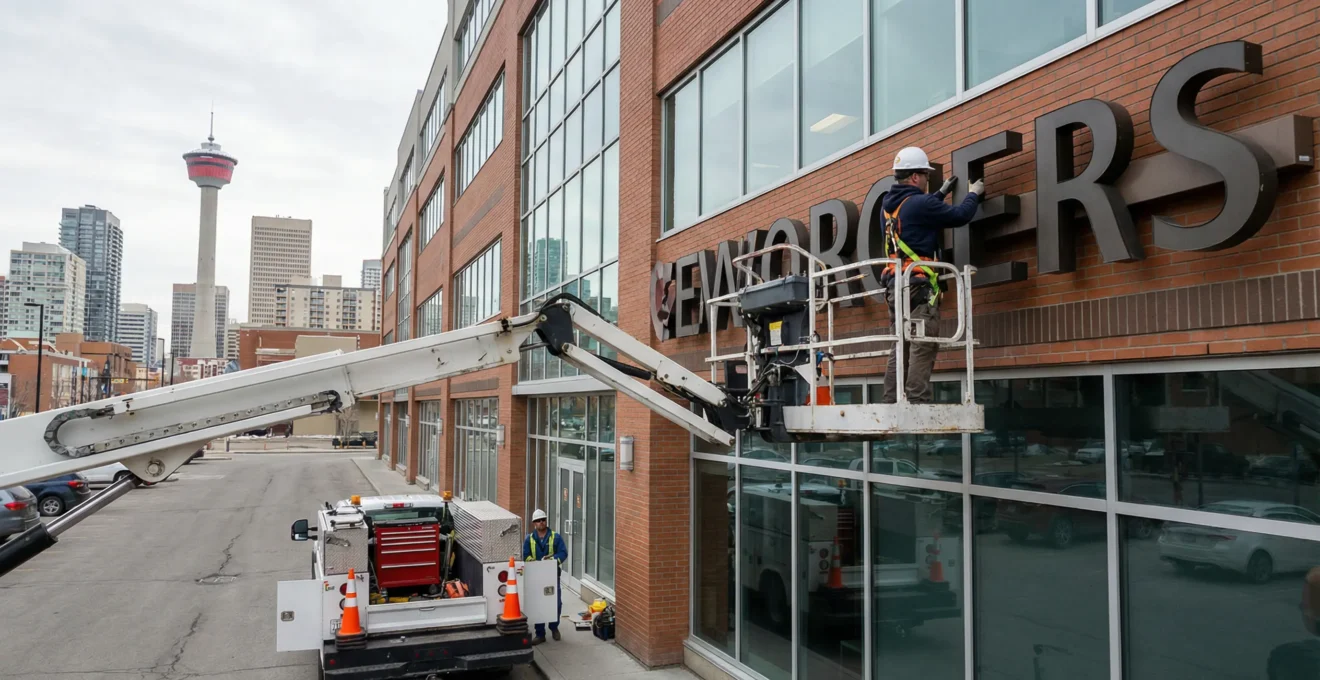
My honest take on this: I’ve seen too many business owners try to save money with generic print shops or online design tools, then spend twice as much fixing signs that don’t work. The viewing distance calculation changes everything. A sign that works perfectly in a strip mall parking lot fails completely on an arterial road.
Font Size, Contrast, and the Calgary Weather Factor
This is where Calgary businesses face challenges that generic signage guides never mention. Snow glare in January. Low winter sun angles creating harsh shadows. That period in December when it’s dark by 4:30 PM. Your sign needs to work in all of it.
The viewing distance formula gives you your baseline. But the Sign Research Foundation 2024 report emphasizes that real-world conditions like weather and traffic congestion require adjustments. For Calgary specifically, I recommend increasing letter height by 25-30% above the standard formula for signs that need year-round visibility.
Here’s a practical breakdown for common Calgary scenarios:
| Scenario | Typical Distance | Minimum Letter Height | Calgary Example |
|---|---|---|---|
| Strip mall parking lot | 50-100 feet | 5-10 inches | Chinook Centre area retail |
| Neighbourhood commercial | 100-150 feet | 10-15 inches | Kensington or Inglewood shops |
| Arterial road frontage | 200-300 feet | 20-30 inches | Macleod Trail businesses |
| Highway visibility | 400+ feet | 40+ inches | Deerfoot Trail service exits |
Calgary Winter Visibility Factors: I consulted with Sarah last winter, a boutique owner on 17th Avenue SW. Her elegant black-on-grey sign looked sophisticated—until December. Against snow-covered backgrounds, it practically disappeared. We compromised with a contrasting border that preserved her aesthetic while improving visibility by around 70%. Sometimes the most elegant solution isn’t the most visible one, and that’s a conversation worth having early in the design process.
High-contrast combinations like yellow on black or white on dark blue consistently outperform subtle palettes for outdoor visibility. According to Calgary Land Use Bylaw requirements, digital displays must remain static for a minimum of 6 seconds before switching—a regulation that exists precisely because rapid changes compromise readability and driver attention.
Balancing visibility requirements with your brand identity is where understanding aesthetic design principles for signs becomes valuable. You don’t have to choose between beautiful and readable. But you do have to make informed trade-offs.
Your Questions About Readable Business Graphics
Your Signage Readability Questions
What font size do I need for my business sign?
The industry standard is 1 inch of letter height for every 10 feet of expected viewing distance. For a sign that needs to be readable from 200 feet away, you need letters at least 20 inches tall. In Calgary’s winter conditions, I recommend adding 25-30% to this baseline.
How do I make vehicle graphics readable while driving?
Vehicle graphics face a unique challenge: both you and the viewer may be moving. Keep text to business name and phone number only. Use the largest possible letters. Sans-serif fonts with high contrast work best. Forget the website URL—nobody is typing while driving behind you.
Does my sign need illumination for evening visibility?
If your business operates past dusk—and in Calgary’s winters, that could mean 4:30 PM—illumination significantly extends your sign’s working hours. Backlit or externally lit signs also handle poor weather conditions better.
How many words are too many for a storefront sign?
For drive-by visibility, limit yourself to 3 core elements: your business name, one key service or product, and contact information. Everything else belongs on your website, business cards, or secondary signage for customers who have already stopped.
Should I use my logo colours even if they have low contrast?
Brand consistency matters, but not if nobody can read your sign. Work with your sign professional to find adaptations—adding borders, adjusting background tones, or using complementary high-contrast elements—that preserve brand recognition while improving visibility.
For readers wanting to deepen their understanding of effective visual communication beyond signage, exploring the art of information visualization provides useful frameworks for any business communication challenge.
Your Next Step
Your Signage Readability Audit
-
Drive past your own business at normal traffic speed—can you read your sign in 3 seconds?
-
Count the information elements on your sign—if more than 3, decide what to cut
-
Measure viewing distance from the road and calculate required letter height (1 inch per 10 feet)
-
Check your sign at dusk and in different weather conditions—does contrast hold up?
The businesses capturing drive-by attention aren’t the ones with the fanciest signs. They’re the ones who understood a simple truth: street-view readability isn’t about what looks good from across your desk. It’s about what communicates in 3 seconds from across a parking lot or a four-lane road. Get that right, and your sign starts earning its keep.